 By
By Videos are valuable assets, whether they are personal memories, creative projects, or professional productions. Unfortunately, technical issues, storage errors, or file corruption can make videos unplayable. When this happens, relying on expert solutions becomes crucial. Services designed to repair video file can restore corrupted or damaged footage, ensuring your content remains accessible and preserved for the future. In this article, we’ll explore how video file repair works, what formats are supported, why professional services matter, and what to expect in terms of time and cost.
Why Video Files Get Corrupted
Video files are complex structures with codecs, headers, metadata, and audio-visual streams working together. A small disruption can make the entire file unplayable. Common causes of corruption include:
- Sudden power failures during recording or transfer
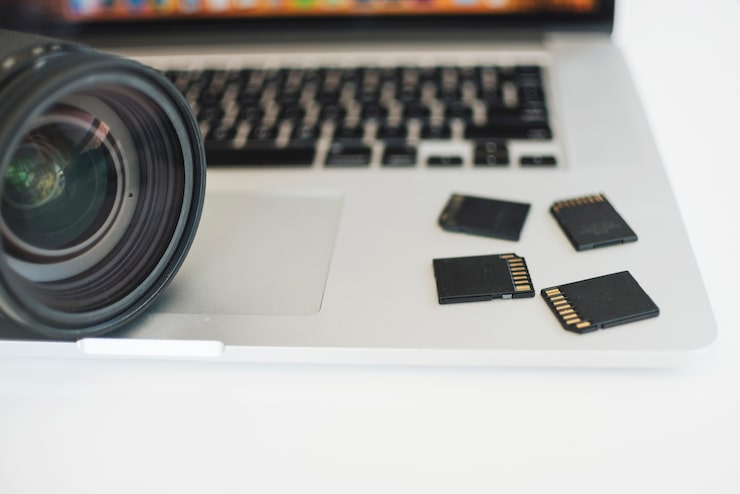
- Damaged storage media like hard drives, SSDs, or memory cards
- File system errors caused by unsafe ejection of storage devices
- Software crashes during editing or exporting
- Virus or malware attacks that alter file data
Understanding these causes helps explain why a DIY approach often fails, as video repair requires rebuilding missing or corrupted file structures.
Formats and Devices Supported by Professional Services
Expert video repair solutions work with a wide range of formats and camera systems. Some of the commonly supported video formats include MP4, MOV, MXF, AVI, and MTS/M2TS. High-end codecs such as R3D (RED), BRAW (Blackmagic RAW), ProRes, DNxHD, and XAVC are also covered.
Professional repair services also support footage from popular devices, including:
- Cinema cameras like RED, ARRI, Canon C-Series, and Sony FX series
- DSLR and mirrorless cameras from Canon, Nikon, Panasonic, and Sony
- Action cameras like GoPro and DJI drones
- Consumer camcorders and smartphones
This wide compatibility ensures that whether you’re a filmmaker or a casual user, your video files can be repaired effectively.
The Step-by-Step Video File Repair Process
Professional repair services follow a systematic process to ensure the highest success rate:
- Drive Imaging – A sector-by-sector clone of your storage device is created to protect original data.
- Deep Scan – The clone is scanned to identify lost, damaged, or fragmented video data.
- File Structure Analysis – Experts rebuild corrupted headers, metadata, and codec structures.
- Integrity Repair – The video and audio streams are restored to match original specifications.
- Validation – Every repaired file is tested to ensure smooth playback from start to finish.
- Secure Delivery – The final repaired files are provided on a new external drive or through secure digital delivery.
This approach minimizes risks and guarantees a professional outcome compared to generic repair software.
Why Choose Professional Over DIY Tools
While online tools and free software claim to fix corrupted videos, their results are often limited. Many DIY solutions can only patch minor header issues and may not recover complex codec or metadata problems. Professional services, however, use advanced techniques that handle severe corruption, fragmented data, and large storage devices such as RAID or NAS systems.
Choosing experts ensures:
- Higher success rates
- Ability to repair files from professional-grade cameras
- Preservation of original video quality, resolution, and frame rate
- Confidential handling of sensitive footage
This makes professional services a more reliable and secure choice for important projects.
Cost and Turnaround Time
The cost of video file repair typically depends on factors such as the number of files, file sizes, codec complexity, and the severity of damage. Many services first repair a sample file to provide an accurate estimate.
Turnaround times also vary. Smaller drives (up to 2TB) may be completed within 3–5 business days, while larger storage systems or heavily damaged files can take longer. Expedited services are often available for urgent projects.
It’s worth noting that many providers, including Five Star Data Recovery, offer a “No Data, No Charge” policy, meaning you only pay if your files are successfully repaired.
Key Benefits of Professional Services
- Compatibility with a wide range of formats and devices
- Secure and confidential handling of sensitive footage
- Advanced recovery for severely damaged or fragmented files
- Free shipping options and rush services for urgent needs
- Transparent process with previews before final delivery
These advantages highlight why working with professionals offers peace of mind when dealing with valuable video content.
Mid-Content Anchor
For users facing more severe video damage, expert corrupted video file repair services provide solutions beyond standard tools. By rebuilding metadata, repairing codecs, and validating playback, these services ensure that even heavily damaged files can often be restored to usable form.
Conclusion
Video corruption can happen to anyone, but losing important footage doesn’t have to be permanent. Professional video file repair services combine technical expertise with specialized tools to restore files that ordinary software cannot fix. By understanding the repair process, supported formats, costs, and benefits, you can make informed decisions when your valuable videos are at risk. Whether for personal memories or professional projects, expert repair services give your footage the best chance of recovery.
FAQs
- Can I fix a corrupted video myself?
Basic tools may fix minor header issues, but complex corruption usually requires professional repair to ensure full recovery and playback integrity. - How long does professional video file repair take?
Small drives often take 3–5 business days, while larger or severely corrupted storage systems can take longer. Expedited services are available for urgent cases.
3. What types of video files can be repaired?
Most formats are supported, including MP4, MOV, MXF, AVI, R3D, BRAW, and ProRes, as well as files from cameras like RED, ARRI, Canon, Sony, Blackmagic, GoPro, and DJI.